How to Price a Domain Using Comparable Sales: A 5-Step Method
Pricing a domain using comparable sales is a five-step process: classify the domain by length and type, pull recent comparable sales using length-bucket and recency filters, calculate the median and the middle price range, adjust for context like backlinks and history, then pick a final number. It takes about 30 minutes per domain. |
You have a domain. Someone wants to know what it is worth, or you are listing it and need to set a price. The advice you will find online is usually one of two unhelpful kinds: wrong (a free appraisal tool spits out a number with no reasoning) or useless (“check comparable sales”, with no word on which sales, where to find them, or how to read them).
This is the actual method. Five steps, real examples drawn from a dataset of 480,667 .com sales, and a number you can defend at the end. For the broader picture of how the .com market actually transacts, see our analysis of what 480,667 .com sales reveal about the 2026 market.
THE METHOD AT A GLANCE 1. Classify the domain by length, type, and commercial intent. 2. Find comparable sales using length-bucket, category, and recency filters. 3. Read the comps: median, the P25 to P75 range, remove outliers. 4. Apply context: backlinks, WHOIS history, drop history, strategic buyers. 5. Pick your number: listing, make-offer, or buy-it-now. |
Throughout, we will price one example domain: PivotMetric.com, a made-up two-word brandable that could plausibly be a B2B software company. Following one domain through all five steps shows how the method actually works in practice.
Step 1: How do I classify the domain I'm pricing?
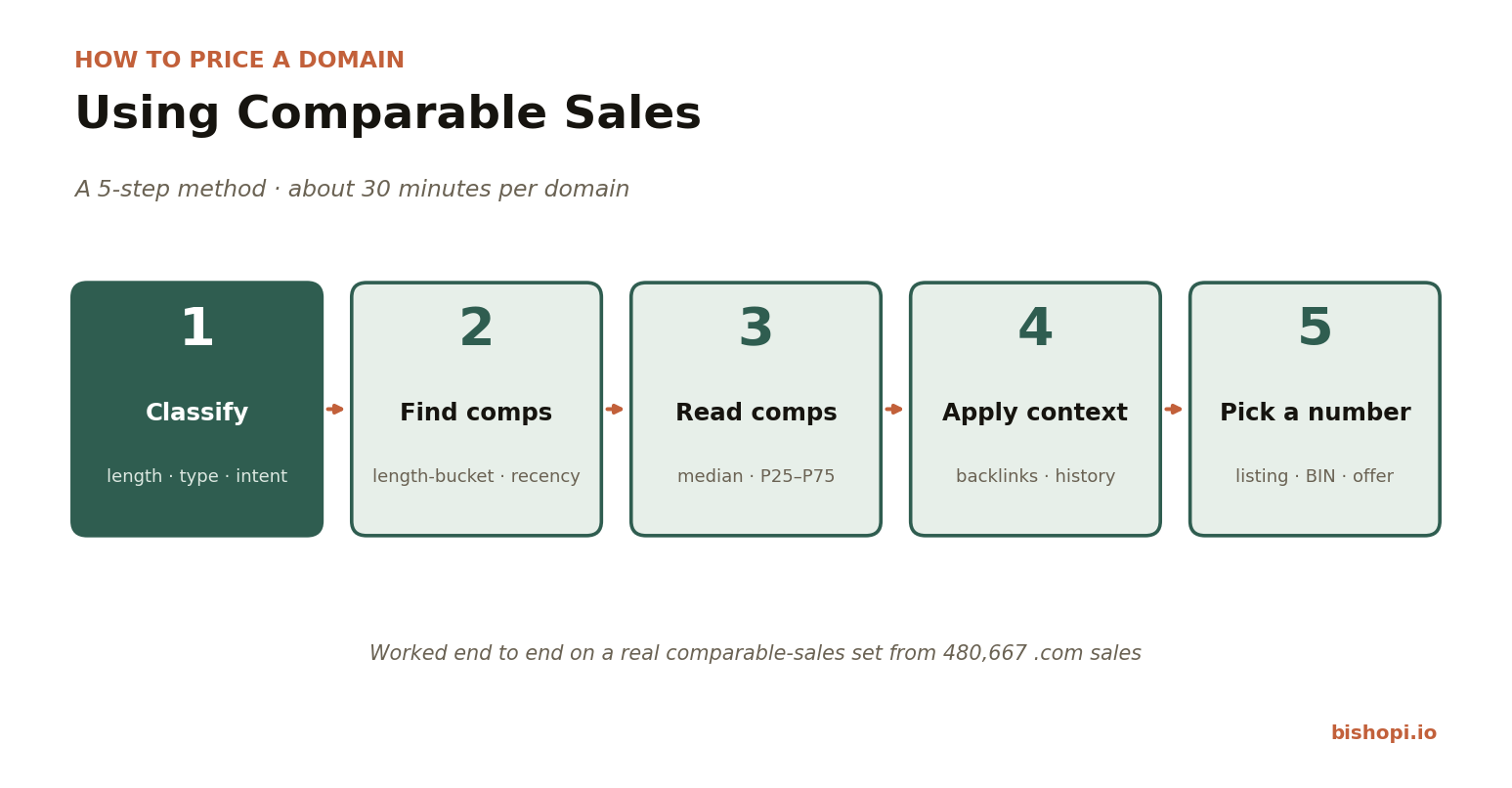
Before searching for comparable sales, sort your domain on three axes: its length bucket, its keyword type, and its commercial intent. These three traits decide which sales actually count as comparable, so getting them right up front saves you from comparing against the wrong set. |
Three things to pin down:
Length bucket (3, 4, 5 to 6, 7 to 9, 10 to 14, or 15+ characters). Length buckets matter more than exact character counts, because the market prices a 10-character and a 12-character brandable almost identically but treats a 3-character domain completely differently.
Keyword type (dictionary word, made-up brandable, two-word combination, acronym, or number). This decides the market segment you are comparing within.
Commercial intent (clear business use versus speculative or niche). A name a real company would obviously want is worth more than a clever string nobody needs.
WORKED EXAMPLE — PIVOTMETRIC.COM (HYPOTHETICAL) PivotMetric.com is 11 characters (the 10-to-14 bucket), a two-word brandable combination, with clear B2B software intent. That is what we are pricing. You do not need a tool for this step, just honest classification. |
Step 2: How do I find comparable sales for my domain?
Pull sold .com sales that match your domain on three filters that matter: length bucket, keyword category, and recency (the last 24 months). Ignore three filters that feel important but mislead: exact keyword match, identical extension, and asking prices. Only sold prices are data. |
The filters that matter:
Length bucket match. Search within your domain's bucket (here, 10 to 14 characters), not an exact character count. Bucket framing is more stable and reflects how the market actually segments.
Category match. Compare two-word brandables to other two-word brandables, not to dictionary words or numbers.
Recency. Prioritise sales from the last 24 months. Treat anything older as soft evidence, not an anchor.
The filters that matter less than people think:
Exact keyword match. Hunting for other “pivot” or “metric” domains rarely helps. There are too few, and they are often misleading.
Same extension only. For .com this is automatic, but the principle holds elsewhere: do not over-narrow.
Asking prices. Only use sold prices. Asking prices are aspirational; sold prices are data.
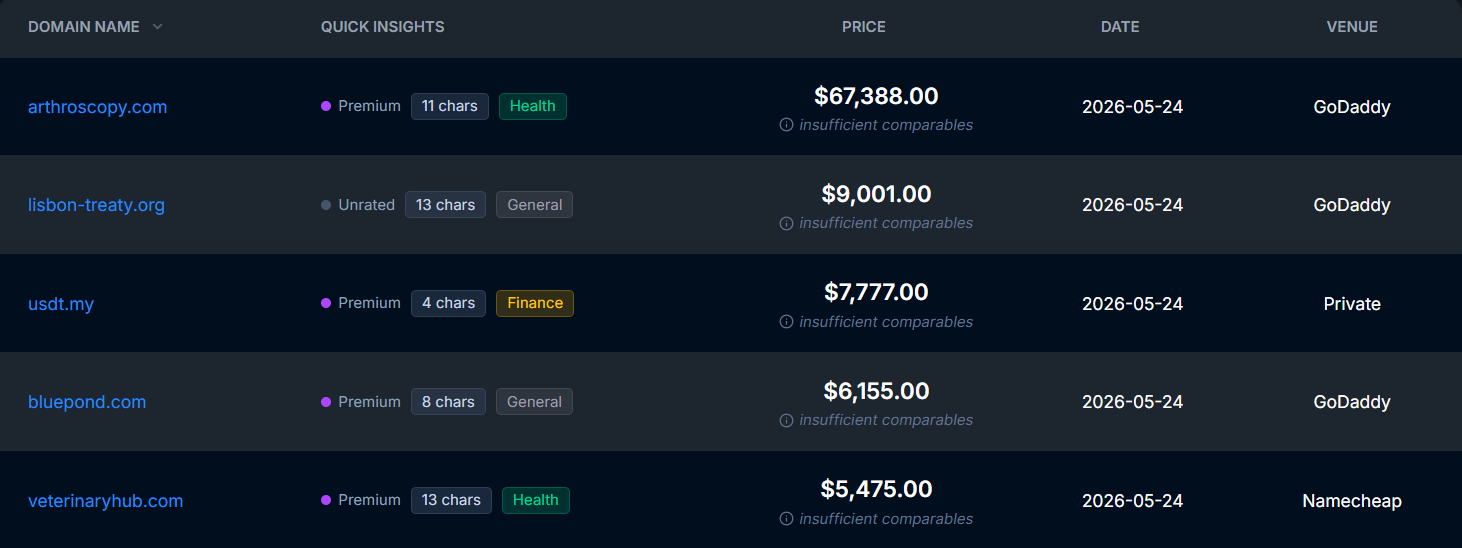
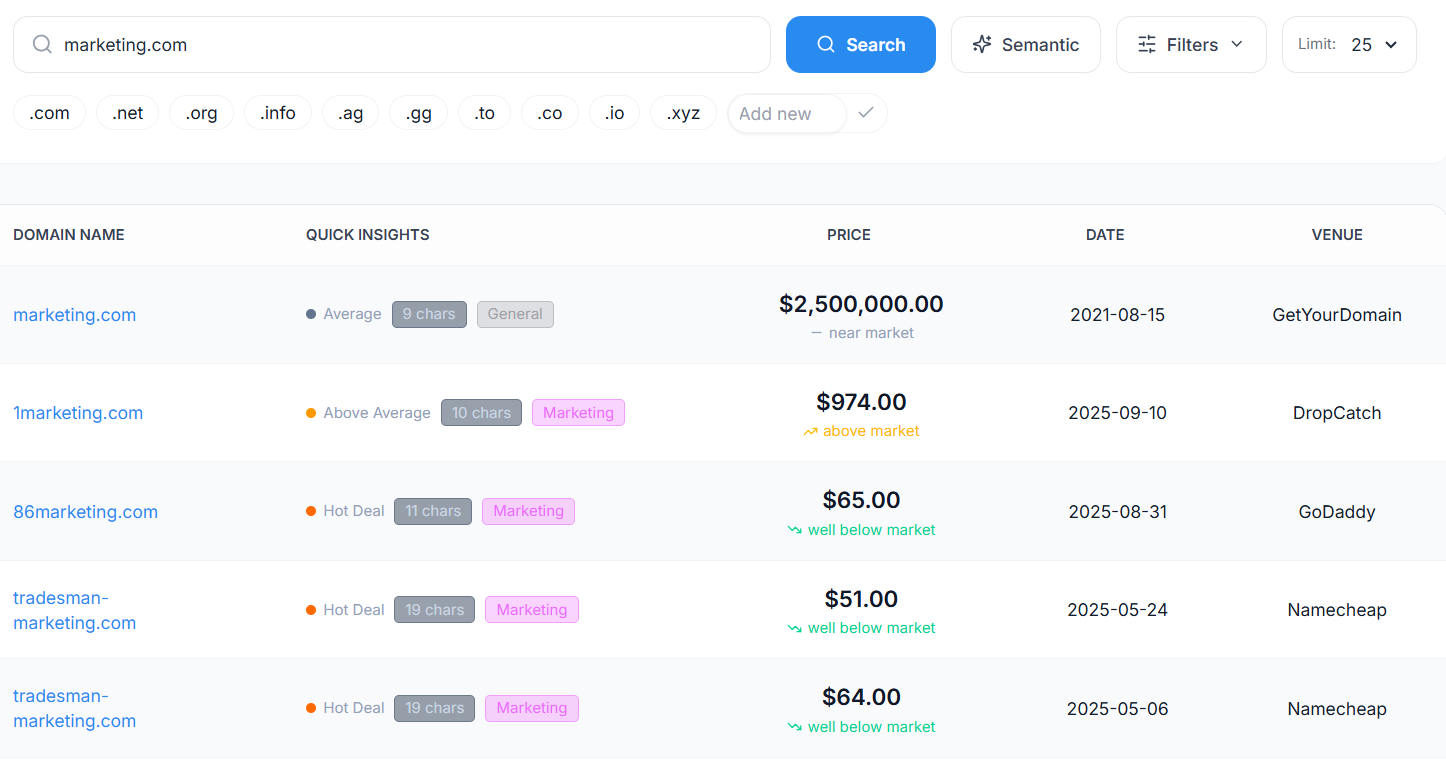
If you have researched domain sales before, you have probably used NameBio. It is the public standard and a fine starting point. For this method we use Bishopi's Sales History tool because it combines length, category, date, and venue filters in one view, includes the sub-$100 sales NameBio often omits, and responds fast when you are working through several domains. The method works on any sales database that supports these filters.
Filtering for PivotMetric's profile (two-word brandable .com, 10 to 12 characters, 2024 onward) returns a large, usable comparable set: 69,628 sales in that exact segment over the period. That is more than enough to price from with confidence. From that set you keep the genuinely comparable names and ignore the noise (same length, unrelated category).
Related sites.
Step 3: How do I read the comparable sales?
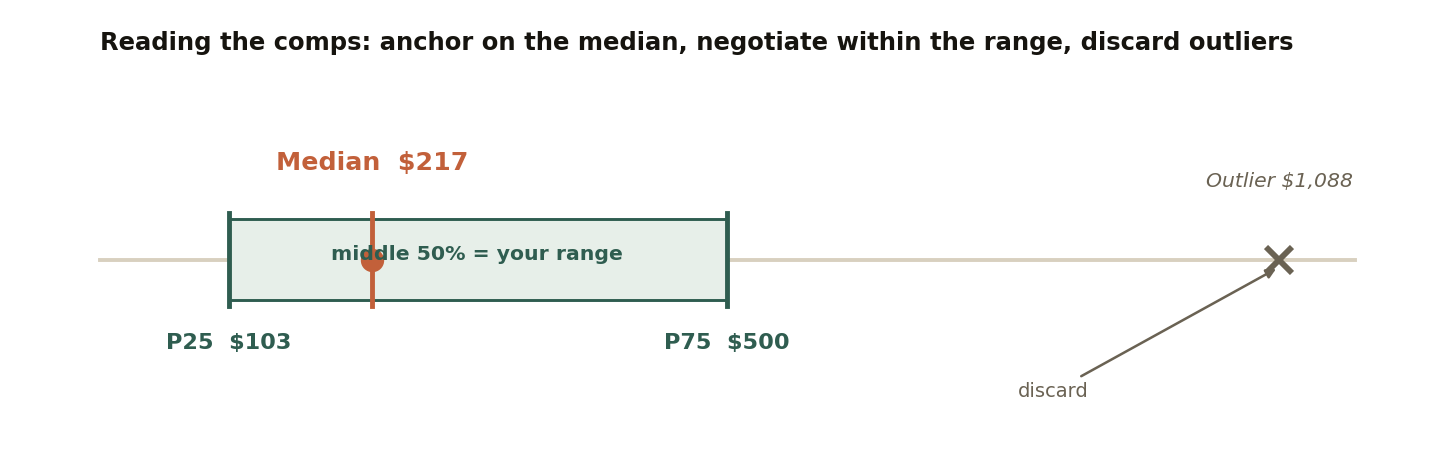
Find the median of your comparable set, then the P25 to P75 range (the middle 50% of sales). Remove obvious outliers before you calculate, and lean on recent sales over old ones. The median is your anchor; the range is your negotiating room. |
With your comparable set in front of you, four moves turn a list of sales into a price:
Take the median, not the average. One or two large sales drag an average upward and mislead you. The median is the typical sale.
Find the P25 to P75 range. This is the middle 50% of sales: your realistic floor and ceiling.
Remove outliers. A single strategic-buyer sale at many times the typical price is not a comp. Drop it before you calculate.
Weight recent sales. A sale from three months ago tells you more than one from three years ago.
For PivotMetric's comparable set (two-word brandable .com, 10 to 12 characters), the median sale was $217, with a middle range of $103 to $500. As a cross-check, the broader 10-to-14 character brandable segment (a larger sample of 163,877 sales) has a median of $214, almost exactly the same. That agreement is the point: when the tight filter and the broad filter return nearly the same median, you know your comp set is typical, not a fluke of one narrow query.
Here is what the comparable set looks like once you read it. These are four genuine sales from the dataset, chosen to mark the lower quartile, the median, the upper quartile, and an outlier to discard:
Comparable sale (real) | Price | Where it sits |
$103 | P25 (lower quartile) | |
$217 | Median | |
$500 | P75 (upper quartile) | |
$1,088 | Outlier (remove) |
WORKED EXAMPLE — PIVOTMETRIC.COM (HYPOTHETICAL) For PivotMetric.com, the comparable set gives a median of $217, a middle range of $103 to $500, and a clear outlier at $1,088 (a sale roughly five times the median, almost certainly a buyer who specifically needed that exact name). We drop the outlier. Our defensible range is $103 to $500, anchored at $217. |
Step 4: How do I apply context to the comp price?
Comparable sales give you a starting number. Context moves it up or down. Four factors matter most: existing backlinks or traffic and a clean ownership history push the price up; a history of being dropped and a strategic buyer change the math entirely. Adjust from the median, do not abandon it. |
The four highest-impact adjusters:
Backlinks or traffic (up). If the domain already has real backlinks or type-in traffic, it is worth more than the string alone. That is verifiable value beyond the name.
Clean WHOIS and ownership history (up). No prior spam use, no penalties, no baggage. A clean history is worth a premium because the buyer inherits no risk. You can check this with a domain history check.
Drop history (down). If the domain has been registered and dropped repeatedly, that signals previous owners could not make it work. Discount accordingly.
Strategic buyer (changes everything). If your buyer is a company that specifically needs this exact name, comparable-sales pricing stops applying. You can usually tell: the inquiry comes from a business whose brand or product already matches the domain, or who names a specific use rather than asking your price first. That is a negotiation, not a comp. Recognise it and price to the buyer, not the market.
Other factors (trademark clearance, hyphen and plural variants, registrar reputation) matter too. For a fuller appraisal that weighs these automatically, run the name through Bishopi's domain value analysis.
WORKED EXAMPLE — PIVOTMETRIC.COM (HYPOTHETICAL) PivotMetric.com is a clean hand-registration with no backlinks, no traffic, and no drop history, and no specific buyer in sight. There is nothing to adjust up or down. The comp range stands: $103 to $500, anchored at $217. |
Step 5: How do I pick my final price?
From your defensible range, pick one number based on your goal. List near the top of the range if you can wait for the right buyer, set a buy-it-now in the middle to sell faster, or use make-offer to qualify serious buyers without committing to a price. |
Three strategies, depending on what you want:
Listing price (top of range). Signals confidence and leaves room to negotiate down. Best when you are not in a hurry.
Buy-it-now (middle of range). Optimises for transaction speed. Best when you would rather move the asset than maximise the price.
Make-offer (no public price). Qualifies serious buyers and avoids anchoring low, but converts more slowly.
WORKED EXAMPLE — PIVOTMETRIC.COM (HYPOTHETICAL) For PivotMetric.com, with a range of $103 to $500 and a $217 anchor: a buy-it-now around $299 prices slightly above the median to leave negotiating room while still moving quickly, with a floor of about $199 for any offer that comes in. If we had time and conviction, a $450 listing near P75 would be defensible too. |
If your priority is speed over price, the strategy shifts, and our guide to how to sell a domain name fast covers the venues and tactics built for a quick exit.
Common mistakes
Pricing off a single comp. Any one sale can be an outlier. Always use the median of a set.
Cherry-picking the highest comp. Calling the top of your range “market price” is confirmation bias, and it kills deals.
Mistaking asking prices for sold prices. Asking prices are wishes. Only completed sales are evidence.
Frequently asked questions
How do you price a domain using comparable sales?
Classify the domain by length and type, pull recent sold comparable sales, calculate the median and the P25 to P75 range, remove outliers, adjust for context like backlinks and history, then pick a final number from the range. The whole process takes about 30 minutes per domain.
What is a comparable sale for a domain?
A comparable sale is a domain in the same length bucket and keyword category as yours that actually sold (not just listed) in roughly the last two years. For a two-word brandable .com, your comps are other two-word brandable .coms of similar length, not dictionary words or numbers.
How many comparable sales do I need?
At least 8 to 12 genuinely similar sales will give you a workable median. More is better: filtering a large sales database for your length bucket and category often returns hundreds or thousands, and the more comps behind your median, the more reliable it is. The PivotMetric example drew on a segment of nearly 70,000 sales.
Should I use the median or the average sale price?
Use the median. Domain sale prices are heavily skewed by a small number of large sales, which pull the average upward and mislead you. The median represents the typical sale and is the more honest anchor for pricing.
Where can I find domain sales history data?
Public databases like NameBio are a common starting point. Bishopi's Sales History tool combines length, category, date, and venue filters in one view and includes lower-priced sales that some databases omit, which matters when you are pricing in the sub-$1,000 range where most domains actually sell.
The bottom line
Pricing a domain is a repeatable process, not a guess. Classify it, pull real comps, read the median and the range, adjust for what makes your domain different, and pick a number you can defend. Thirty minutes of work replaces a shrug and a hunch.
The hard part is not the math. It is pulling clean comparable data with the right filters in one place. Most public databases give you sales but not the filtering, or the filtering but not the depth.
Pull real comparable sales for any domain, filtered by length, category, and date, including the sub-$1,000 sales most databases miss. Free for basic lookups. |
Originally published at: bishopi.io
Stay up to date
Get updated with all the news, update and upcoming features.