Domain Analysis Tool: Check Domain Authority, Backlinks, and Key SEO Metrics Free
I get it - you’re about to make a decision that depends on a domain.
➝ It might be a bid on a domain that looks promising.
➝ It might be explaining to a client why their SEO isn’t moving.
➝ Or it might be figuring out why a competitor with thinner content keeps outranking you.
On the surface, these feel like different problems.
But in each case, the answer sits at the domain level.
A quick domain analysis brings it into view - authority, backlinks, traffic, history - the signals that actually determine how a site performs in search.
This guide walks through what a domain analysis tool shows, how to run a free domain overview, and how to use that data, whether you’re building on a domain or evaluating one.
What Is a Domain Analysis Tool?
A domain analysis tool aggregates public signals about any domain.
Think of it as a credit report for websites. A credit report pulls together payment history, outstanding debt, and account age to give a lender a fast, reliable read on risk.
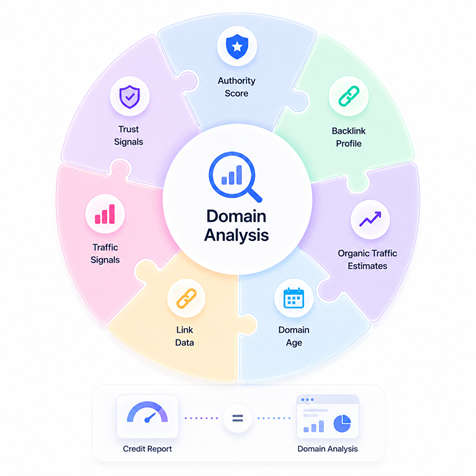
A domain analysis tool does the same thing for a domain's standing in search.
It pulls together:
authority score
backlink profile
organic traffic estimates
domain age
link data
traffic signals
trust signals
All in one place, so you can see what’s actually behind the domain and make a call.
That overview only helps if you know what you’re looking at.
Key Metrics You Can Check With a Domain Analysis Tool
Each metric points to a different part of how a domain performs. Read in context, and they explain what’s driving rankings. But if you read them in isolation, they’re easy to misinterpret.
1. Domain Authority / Domain Rating / Authority Score
The same concept has different names depending on which tool you’re using. They all show proprietary scores representing a domain's strength based on its backlink profile, all running on a 0–100 scale.
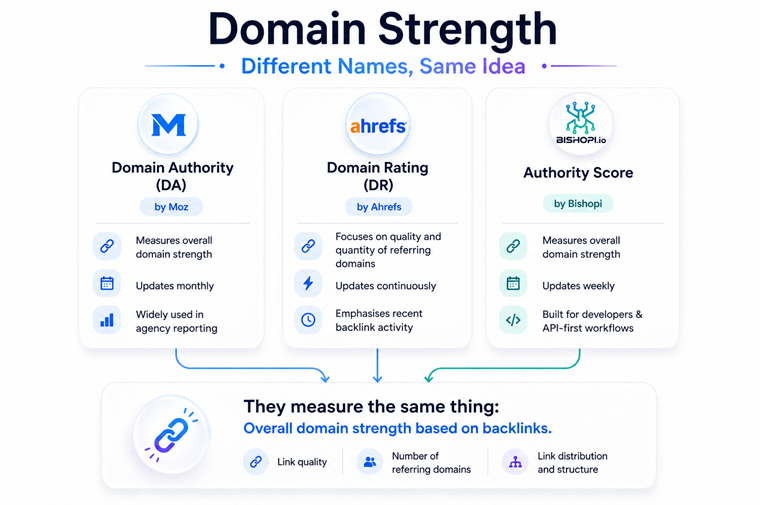
Moz's Domain Authority (DA) is the oldest and widely cited in agency reporting. It weighs backlink quantity, quality, and structure, and updates monthly.
Ahrefs' Domain Rating (DR) focuses specifically on the quality and quantity of unique referring domains, updates continuously, and emphasises recent backlink activity.
Bishopi's Authority Score also ranges from 0 to 100 and updates weekly.
As a practical benchmark:
Below 20: New or low-authority - limited ability to rank for competitive terms
20–40: Emerging - competitive for long-tail and low-difficulty keywords
40–60: Solid - relevant across most mid-range niches
60+: Strong link equity, typically accumulated over years
When comparing domains, it helps to compare important SEO metrics within the same tool.
DA, DR, and Authority Score are similar but not equivalent metrics, so comparisons across tools should be treated as approximate rather than exact.
Because domain authority metrics are platform-specific and logarithmic, they are best used as relative benchmarks rather than absolute targets.
To realistically compete for a specific keyword, aim to align your domain’s authority with the median score of the current top-ranking pages.
A practical strategy is to target a 'competitor-plus' buffer - hitting the average authority of the top 10 results plus a small margin - to account for variables like content quality, topical relevance, and search intent alignment.
2. Backlink Profile
Next, check the backlink profile. Every domain overview shows two numbers: total backlinks and referring domains.
The second is the one that matters.
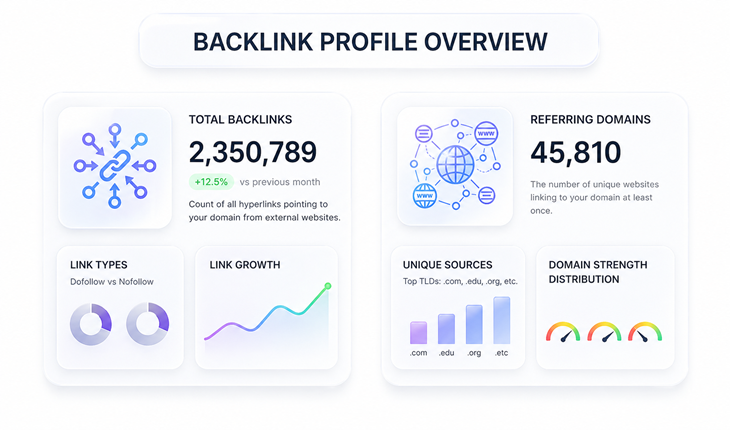
Data from multiple studies consistently identify the number of unique referring domains as one of the strongest correlating factors for higher search rankings.
A domain with 50,000 backlinks from 40 referring domains looks inflated and manipulated. A domain with 8,000 backlinks from 2,400 referring domains has genuine breadth.
When reviewing the backlink profile, look beyond the count. To assess the quality, ask the following questions:
Are the linking domains high-authority and topically relevant, or a cluster of low-DR sites?
Is anchor text distributed naturally across branded, generic, and keyword-rich terms?
Are there any obvious link network footprints - dozens of links from near-identical domain patterns?
A handful of editorial links from relevant publications outweighs hundreds of links from directories.
3. Organic Traffic Estimates
Organic traffic estimates are calculated from keyword rankings and average click-through rates. They show how much traffic a domain is likely getting from search.
They’re not exact, but they’re consistent enough for comparison.
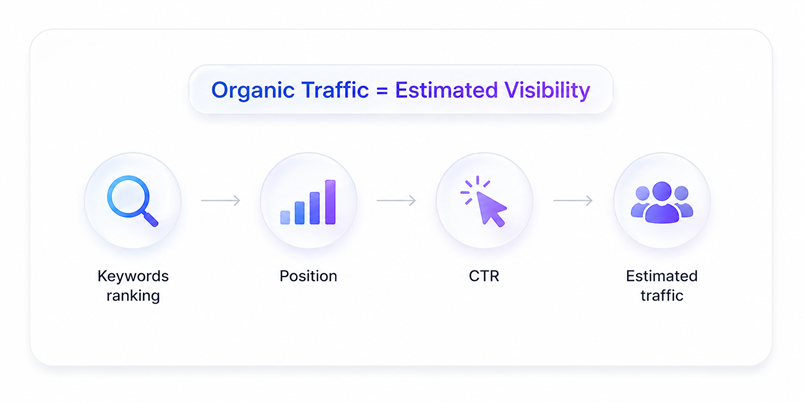
For example, if your domain is estimated at 3,000 monthly visitors and a competitor is at 28,000, the gap points to a real difference - more keywords ranking, more pages driving traffic, and stronger overall visibility.
That’s where these estimates are most useful: understanding relative position in a market.
In acquisition scenarios, you can validate this further.
If traffic is tied to revenue, ask for data from Google Search Console. It shows actual impressions and clicks from search, so you can confirm how the domain performs in practice.
4. Domain Age
Domain age adds useful context to how a site has evolved over time.
Older domains tend to have more accumulated signals - backlinks, content history, and consistent activity. While Google hasn’t confirmed age as a direct ranking factor, in practice, domains that have been active longer often show more stable performance in search.
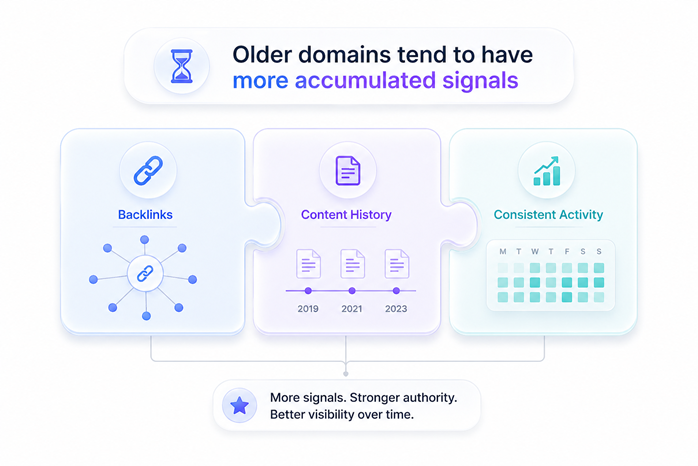
A ten-year-old domain in your niche with a clean history usually carries more depth than a three-year-old domain, even if both sit at a similar authority score. The difference comes from what’s been built over time.
5. Top Pages and Keywords
This section shows which pages drive the most estimated traffic and the keywords behind that visibility.
For SEO teams, it’s one of the quickest ways to spot gaps - pages and topics a competitor is winning on that you haven’t covered yet.
For domain investors, it answers a different question: how stable is the traffic?
Some domains draw most of their visibility from a single page, often tied to a trend or short-term spike. Others spread traffic across many pages, built on broader, evergreen topics.
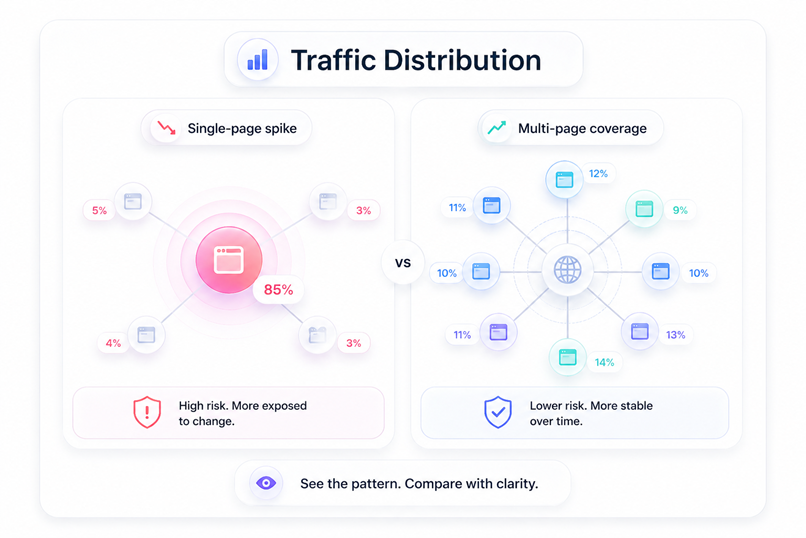
That difference matters.
A domain with traffic distributed across multiple pages tends to be more stable over time. One that depends heavily on a single post is more exposed to shifts in rankings or search demand.
The domain overview makes that pattern easy to see at a glance.
6. Technical Health Signals
Most domain analysis tools surface a few core technical signals - HTTPS status, spam indicators, and sometimes penalty history.
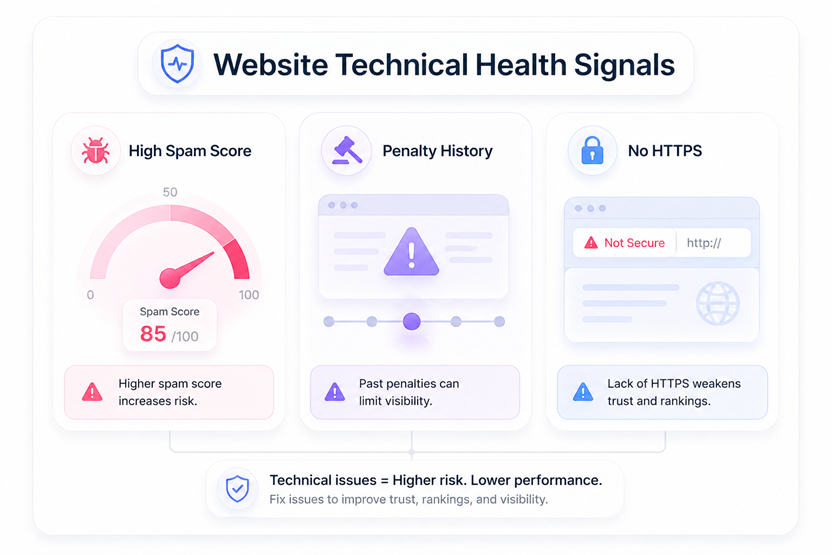
They’re easy to miss, but they add important context, especially when you’re evaluating a domain quickly.
High spam score: Signals a backlink profile weighted toward manipulative links. These links tend to get discounted or flagged, which limits how much authority the domain can pass through. Algorithmic penalties tied to this don’t reset when ownership changes.
Penalty history: Indicates search engines have already flagged the domain. Even after cleanup, recovery isn’t immediate. It can take months - sometimes longer - for trust to rebuild, which delays any SEO upside.
No HTTPS: A basic trust and security requirement. Without it, browsers flag the site, users drop off, and search engines treat it as a weaker signal overall. In practice, it’s a hard disqualifier for any serious SEO use.
How to Run a Free Domain Overview: A Step-by-Step Guide
A domain overview takes a few minutes. The steps are simple, but the order matters if you want a clear read.
Choose a domain analysis tool
Start with a tool you’ll use consistently. Bishopi Domain SEO Analysis shows authority score, referring domains, traffic estimate, and domain age in one view, without requiring an account.Enter the target domain
Use the root domain (example.com), not a subfolder. Subfolders can distort the picture by showing only part of the domain’s strength.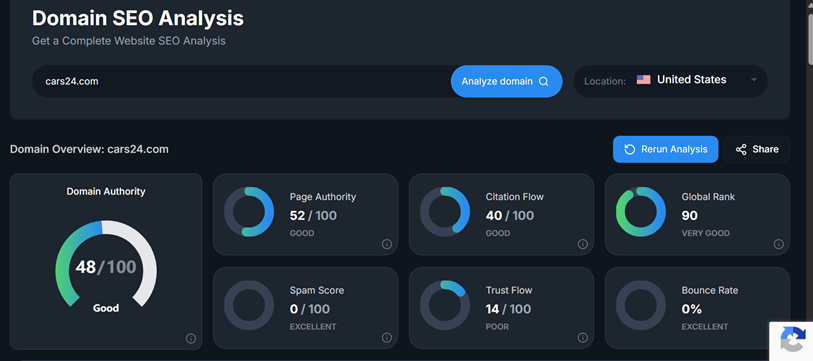
Screenshot via Bishopi
Read the authority score in context
The number only becomes meaningful when compared to the domain ranking for your keywords. A noticeable gap usually reflects a difference in domain strength, which often explains ranking gaps more than page-level factors.Check the backlink profile
Focus on referring domains first, then look at how links are distributed. A domain supported by links from many sites carries more weight than one with a high volume of links from a few sources.
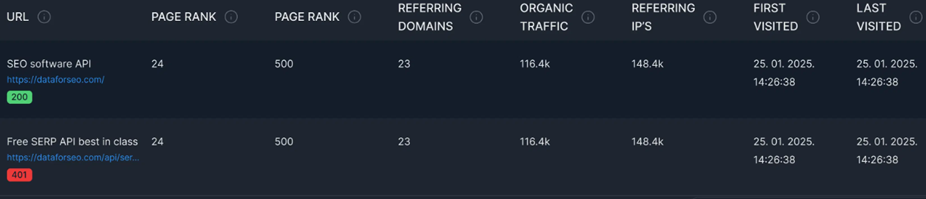
Screenshot via Bishopi
Review traffic estimates
Run a few known competitors alongside your domain. Larger gaps tend to reflect both stronger authority and broader content coverage, which together shape visibility.Check domain age and history
Look for consistency in registration and activity. Domains that have remained active over time tend to carry more accumulated signals than those with gaps or re-registrations.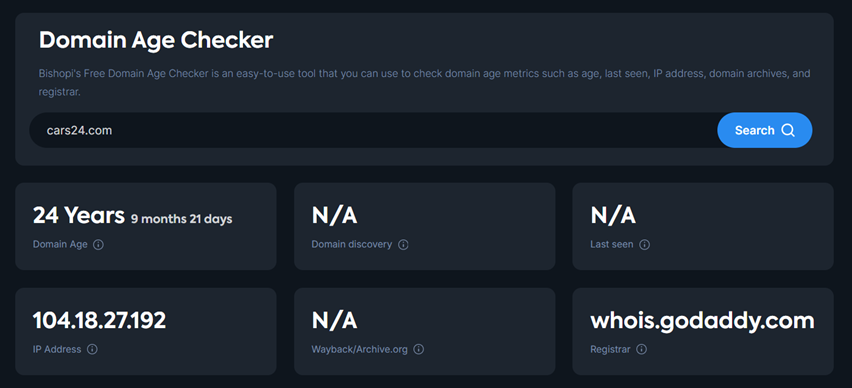
Note key data points
Capture authority, referring domains, and traffic for comparison. A single snapshot gives context, but tracking these over time shows whether the domain is actually gaining ground.
What to Do With the Data from Domain Analysis Tools
This is where context comes in. What you do with the data depends on whether you’re building, optimizing, or buying.
For SEOs and Agencies
Run domain overviews for the top three to five sites ranking for your target keywords. Compare authority scores against your client's domain.
20+ point gap: Link building has to be part of the strategy - content alone won't move the needle against significantly stronger domains
Under 10 points: Content depth and topical relevance are your primary levers; the path is shorter
Referring domain gap: Sites linking to competitors but not to you are your warmest outreach targets - they've already shown they'll link in your space
This turns a vague "we need more links" conversation into a prioritised list of concrete targets.
For Founders and Marketers
If your domain has been live for two or three years and core keywords still aren't moving, a domain overview usually explains it fast.
A significant authority gap means on-page work alone can't close it - and that's a harder case to make to leadership without data to back it up.
Showing that your domain sits at 28 while every top-ranking competitor is at 50+ reframes the conversation from "why isn't our content working?" to "here's what competing in this space actually requires."
That's a different meeting.
Reviewing your own domain quarterly gives you a compound progress metric that rankings alone don't. Authority scores move slowly - when they shift, it means the investment is working.
For Domain Investors
For domain investors, the overview works as an initial filter.
It helps assess:
Backlink quality and spread
How traffic is distributed across pages
Consistency in domain history
Any signals of risk
Domains with similar authority can vary widely in quality. It helps you spot the difference between a premium domain with real value and one that only looks strong on paper.
A domain with broad, relevant links and steady history represents a stronger asset than one supported by a narrow set of low-quality sources.
The overview surfaces these differences early, before deeper analysis.
Once a target passes the initial screen, domain research tools covers the deeper diligence toolkit worth adding to your process.
Choosing the Right Domain Analysis Tool
The tool you choose should match how you use the data. A few factors tend to matter most in practice:
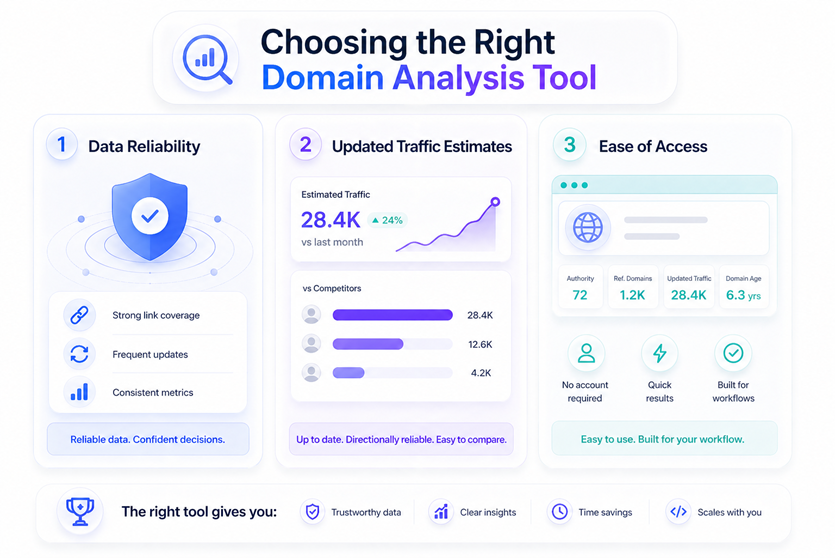
1. Authority and Data Reliability
Start with how authority is calculated and how consistent it is. You want a score that reflects real link strength and stays comparable across domains. That only works if the underlying backlink data is up to date. Fresh data matters because link profiles change quickly, and outdated crawls can miss both gains and losses.
2. Traffic Estimates and Direction
Traffic estimates don’t need to be exact, but they should be directionally reliable. The goal is to understand scale and compare domains, not report precise numbers. If the estimates consistently reflect real differences between competitors, they’re doing their job.
3. Access and Usability
Access shapes how often you use the tool. Bishopi Domain SEO Analysis gives you a free domain overview with authority score, referring domains, traffic estimate, and domain age in one place, with no account required. It’s designed to be quick to run and easy to plug into workflows.
4. API Access and Scale
For teams working across multiple domains, API access becomes important. It allows domain data to flow into reports, dashboards, or internal tools. Bishopi is built with an API-first approach, while Ahrefs and Moz offer API access at higher plan levels.
Frequently Asked Questions
1. How do I check domain authority for free?
You can use tools like Bishopi Domain SEO Analysis to check domain authority along with referring domains, traffic estimates, and domain age without creating an account. Enter the root domain and compare it against competitors for context.
2. What's the difference between domain authority and domain rating?
DA is Moz’s metric; DR is Ahrefs’ metric. Both measure link-based domain strength on a 0–100 scale using different datasets and formulas, so the numbers don’t match exactly - but they serve the same purpose: comparing domains against each other.
3. How accurate are domain traffic estimates?
Traffic estimates are modeled from keyword rankings and click-through rates. They’re not exact, but they’re reliable for comparison. Use them to understand relative scale, not precise traffic.
4. What is a good domain authority score?
There’s no fixed “good” score. What matters is how your domain compares to others in your niche. Being within 10 points of top-ranking competitors is usually a workable range.
5. Can I analyse a competitor's domain for free?
Yes. Most tools allow limited free lookups. You can run competitor domains through tools like Bishopi Domain SEO Analysis to compare authority, backlinks, and traffic without needing access to their analytics.
6. How often does domain authority change?
Authority scores update based on changes in backlink data. Depending on the tool, this can be continuous, weekly, or monthly. Meaningful shifts usually happen gradually as links are gained or lost.
7. Is domain age a ranking factor?
Google hasn’t confirmed domain age as a ranking factor. But older domains tend to build more signals over time - backlinks, content, and crawl history. Age itself doesn’t rank a site; its track record does.
8. Does domain analysis work for subdomains?
Most tools default to the root domain. Subdomains can have different backlinks and authority, so enter them explicitly if needed. For comparisons, use the root—it reflects total authority.
Try Bishopi's Domain Value Analysis tool
Originally published at: bishopi.io
Stay up to date
Get updated with all the news, update and upcoming features.